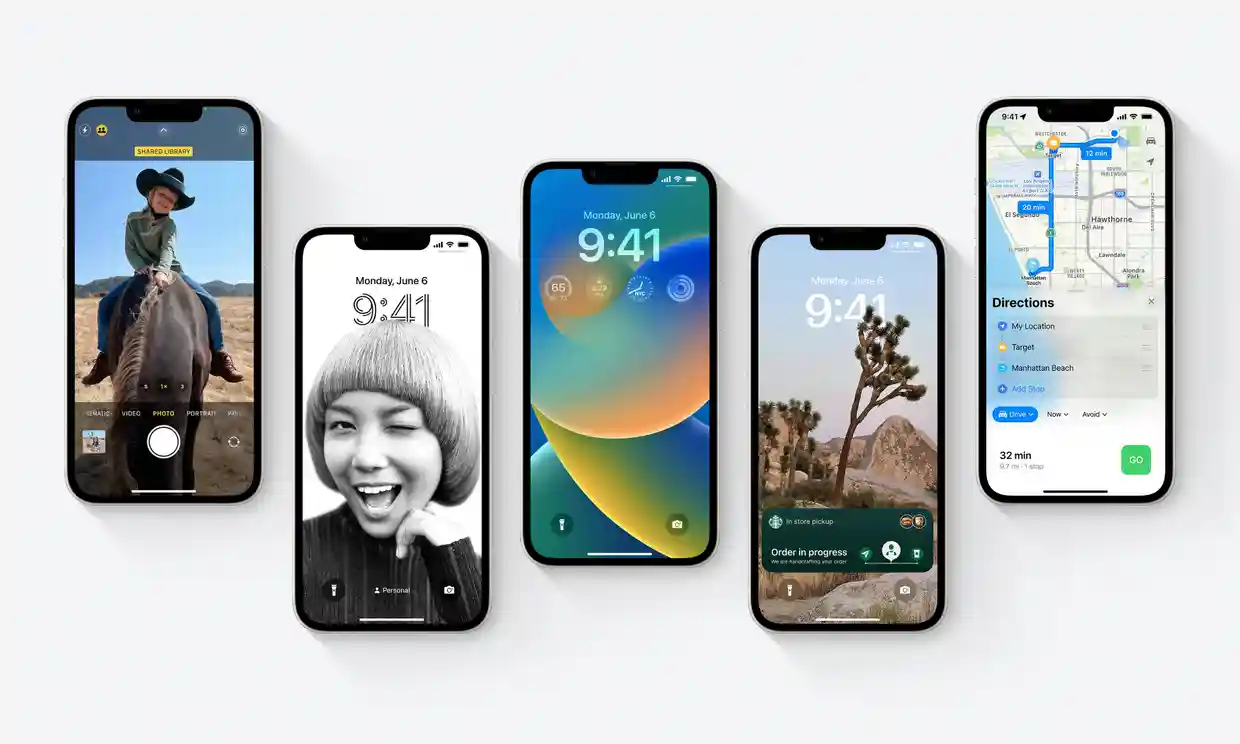
Apple iOS 16 Release: New Features, Release Time, and Latest News
The latest free software update for the iPhone and Watch adds new features for tracking running, fitness, and notifications.
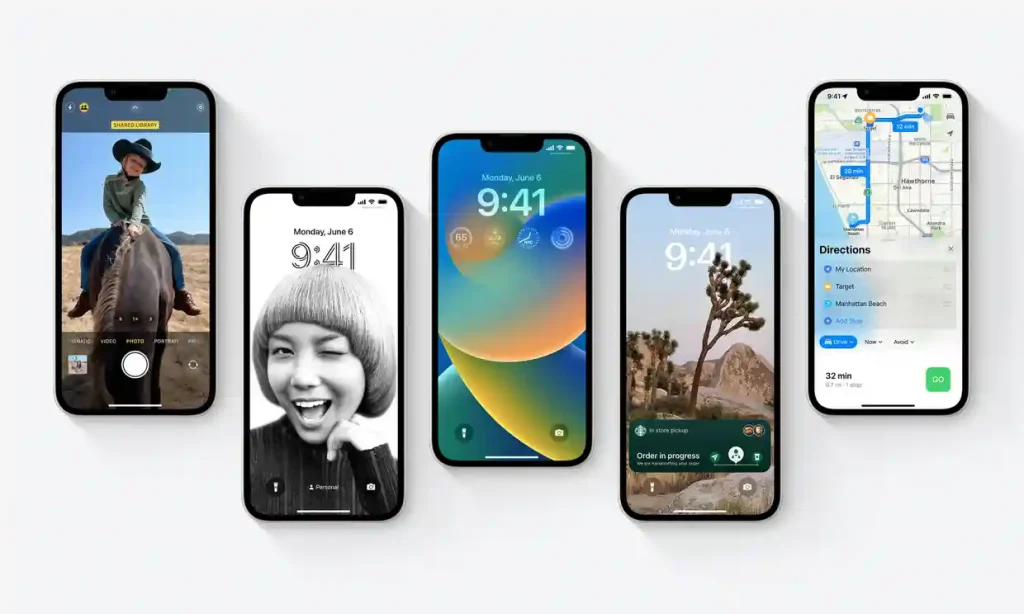
On Monday, the 12th of September, Apple will release software updates for its iPhone and smartwatch, enhancing compatible devices with new features and designs.
Apple recently announced at its developer conference that iOS 16 and watchOS 9 would completely overhaul the lock screen, eliminate the despised password, improve notifications, and add new watch faces, running statistics, and more.
Here is all the information we have about the updates:
What time will the update be released?
Apple device updates for iOS and watchOS usually kick off at 6 pm UK time (1 pm in New York; 3 am in Sydney). Unlike other manufacturers, all eligible Apple devices will be able to download and install the update immediately once it is released rather than in a staggered fashion. Updates for Apple’s iPad range will be made available later in the year.
"#Apple is set to release #iOS16 this Monday, September 12 as a free update for the iPhone 8 and newer. iOS 16 includes plenty of new features, ranging from a customizable Lock Screen to the ability to temporarily edit or unsend iMessages." https://t.co/yrYlgfHDov
— Amber Mac (@ambermac) September 11, 2022
What devices are eligible?
All Apple smartphones from 2017’s iPhone 8 or newer can install iOS 16. All Apple Watches from the 2018 Series 4 or newer can install watchOS 9.
How can I obtain it?
To install an update on an iPhone, go to Settings > General > Software Update. Click ‘install’ if available to download, verify, and reboot. You can also install the update through a Mac or iTunes on a Windows computer.
The WatchOS 9 update requires an iPhone 8 or later running iOS 16. To install it, open the Watch app and go to General > Software Update. You must charge your smartwatch to finish the update.
How much is it?
It’s free from Apple. You may be tricked into paying for an update if someone requests money.
IOS 6 Update
Getting ready to upgrade to iOS 16? Make sure you back up your iPhone before you do.
— Apple Support (@AppleSupport) September 10, 2022
Here’s how to turn on iCloud Backup for an easy way to keep your data secure. pic.twitter.com/02szk9mbr2
A new lockscreen design
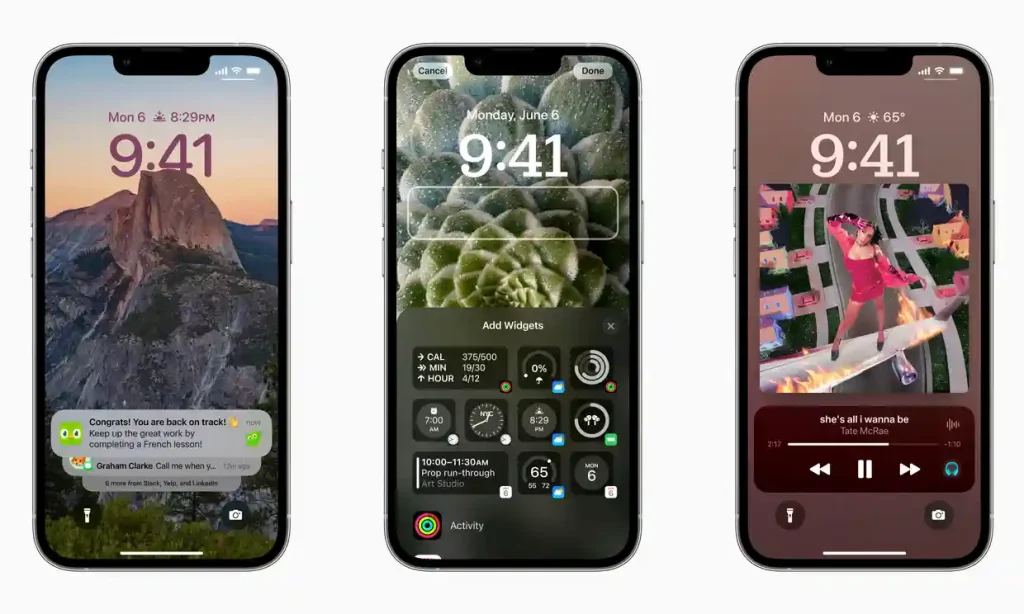
The new lockscreen redesigns provide more information and improved notification stacking for a more contemporary look.
The lockscreen has been revamped, and the notification display has been altered to provide much more personalization.
The default setting displays the date, time, and a group of information widgets at the top of the screen, with notifications filtering down from the bottom. You may alter the font and color of the time, add other information besides the date, and modify the wallpaper with a 3D effect for some pictures or a slideshow of photos.
Having live activities, such as sports scores or music playing, sit above the notification stack at the bottom of the screen makes them easier to reach with one hand.
You can create multiple lockscreens and associate them with focus modes so that you can, for example, have one for work and one for personal time. New’ focus filters’ can hide distracting content from applications, such as blocking work colleagues’ messages when off the clock.
Passkeys
Logging into websites, apps, and services on an iPhone using digital keys that verify your face or fingerprint rather than passwords is now possible. It’s also possible to log into a smart TV by scanning a QR code with the phone and then confirming with your face or finger, for example.
Your iPhone can be recovered if you lose or break it if iCloud Keychain is synced.
Edit and unsend iMessages from Mail
Within the first 15 minutes after sending a message, you can now edit or delete it, for example, if you accidentally send something to the wrong group. You can also keep messages unread, so you can read them later, like an email.
Mail has been improved for searching, and you can now cancel an email before sending it in 10 seconds. Mail will also notify you if you forget to attach something to an email or fail to include a recipient using machine learning.
Images can be automatically extracted from objects
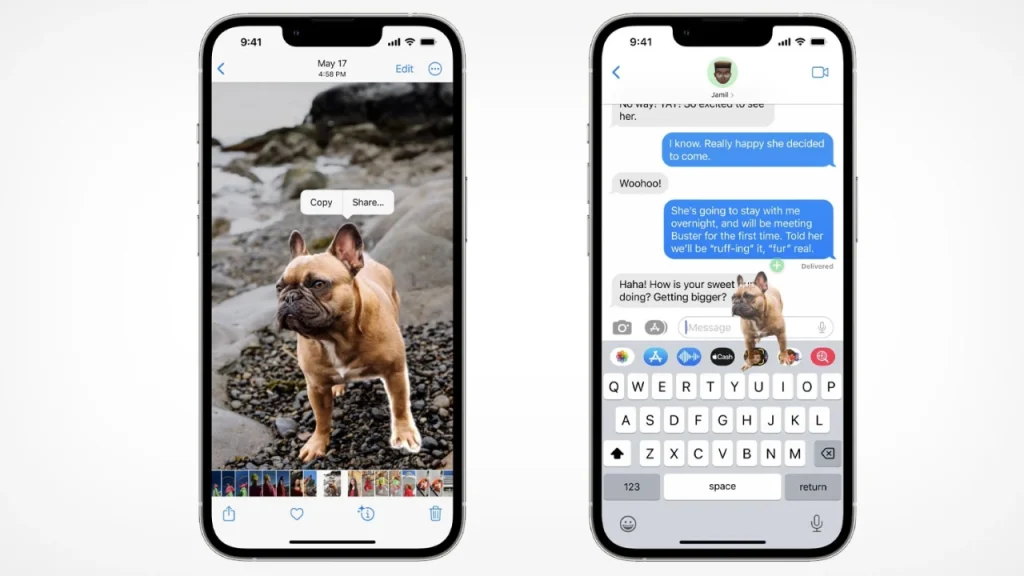
You can grab items from images or photos and copy them into other images using Safari or other applications.
You can copy objects from the foreground of images, such as pets, plants, people, and products, and then paste or share them into other apps, documents, or messages.
This feature is in addition to identifying and copying text and other elements but requires an iPhone XS or newer.
You can type and speak simultaneously on the keyboard, and you can insert emojis by voice. The translation application can also use the camera to translate text live or locate text in photographs.
Faster security updates
Apple has separated security updates from comprehensive iOS updates, allowing it to publish bug fixes more rapidly and have them automatically installed on customer iPhones. Face ID now operates when the phone is held in a landscape position.
Watch OS 9
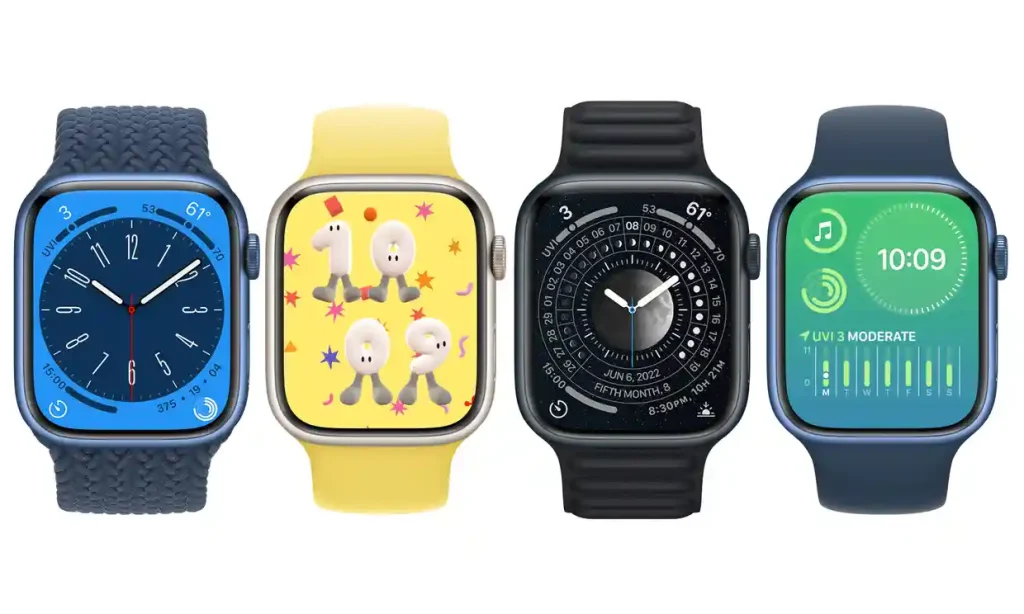
New and improved Watch faces
New watch faces and revamped old ones with fresh colors and rich details are included.
You can personalize the look of three new watch faces, Metropolitan, Playtime by Joi Fulton, and Lunar, which displays the moon’s phases, in addition to Astronomy, which has been redesigned. You may now set colored backgrounds on modular compact, modular, and X-large watches.
When you’re actively using your phone, notifications are displayed as small banners that can be expanded as they are on an iPhone. Apps that are running in the background are emphasized in the dock, and the calendar app has been enhanced for better week and day views.
More detailed running statistics and better training programs
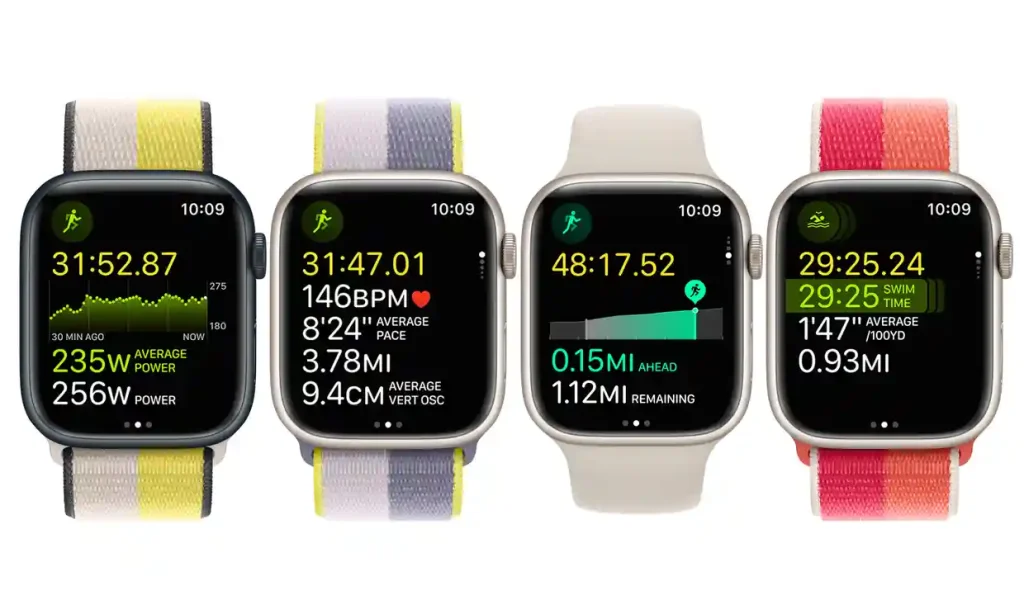
The Apple Watch has more running metrics, including power, and better summaries for fitness.
The run app has been improved. The Watch can now record running power without an accessory, providing information such as stride length, ground contact time, vertical oscillation, and heart rate zones.
You can also personalize workouts to include intervals and other bits with pace, heart rate, cadence, and power alerts. Automatic transitions between running, cycling, and swimming have been improved for multisport, providing more information in workout summaries at the end.
Medicine and sleep
The wrist now reminds you to take your medicines and maintain a medication log straight from the health app. Sleep tracking is also improved, with phase and comparison charts in the app on the iPhone.